It’s been a long year.
Merry Christmas to everyone.
Here’s to next year.
It’s been a long year.
Merry Christmas to everyone.
Here’s to next year.
 Interesting article by Scott Edinger over on LifeHacker.
He lists several reasons for this apparent contradiction, and I’ve seen first hand examples of the good and bad in my last 12+ years of on and off remote work.
One element Scott doesn’t touch on is how different remote work experiences can be. I’ve found that often, companies want to support remote workers, but, since they’ve never really done so before, they either can’t or won’t make the mindset changes that come with doing so successfully.
For me, the most successful remote work scenario is when all or virtually all the people involved are working remotely. I call it the Sailor Paradigm. When you’re all in the same boat, you’ll all tend to gravitate to the same mindset and look for ways to make the situation work for the best. And when everyone’s remote, everyone realizes quickly that true communication takes a little extra effort.
On the other hand, when only one or a few people are working remote, everyone that’s stayed in the office can fall back on much easier communication; the water cooler chat, talking shop over lunch, etc. The remote workers get left out and that can often lead to troubles down the road.
Personally, I’ve always felt the ideal solution is one where all the employees (or at least everyone on a team) works remote, but close enough to an office space or to each other to get some face time one a week or so. That’s not always possible, but it does represent the best of both worlds.
A neighbor down the street picked up a tank a few months back. He’s always driving it around (it’s completely street legal, tagged, plates, etc).
But you almost have to have a spotter riding up top to help tell the driver whether there’s anything in the way or not. That thing’s got some monster blindspots <g>

For those inclined, it’s a Swiss Armored Vehicle (I forget the exact name) from the 60’s I believe, but don’t quote me. I know much more about VB than militaria. It’s almost completely restored (yes, I believe even the gun works assuming you can find (or afford) ammo for it.
Not exactly a daily driver, but it’s awesome to see that thing rolling down a suburban street.
I’ve used iGoogle for ages as a start page, as have many people, so Google’s announcement that they’ll be killing it off late in 2013 came as a bit of a shock.
Ok. No big deal. Surely, there are any number of “Home page” sites out there that can do essentially what iGoogle did.
Well, yes and no.
My first stop was PageFlakes. I’d messed with it several years back, when it was first introduced. But alas, PageFlakes has flaked out and is no more.
MSN has a “home page” type service, but I wasn’t terribly impressed.
Yahoo too. Just really cluttered. I liked iGoogle for it’s simplicity, among other things.
Then I came across a mention of a site called NetVibes. Reading up on it, it looks like it’s more geared toward sys admins that need to keep an eye on statistics about a range of websites, all from a single dashboard. Great stuff, but that aspect costs a few bucks a month.
However, you can sign up for a free account, and set up all sorts of news widgets, RSS feeds, etc, that can populate your home page, just like on iGoogle. It’s got lots of great “ajaxy” stuff like drag and drop positioning, nice configuration GUI’s, a huge theme selection, etc. With the right theme (I chose “World”), it looks almost identical to the clean lines of iGoogle (though it does have an oddly out-of-place top action bar thing going on. Still, not a dealbreaker).
And, I was able to find widgets (or grab RSS feeds) for every single element I had on my iGoogle page.
Plus, it’s really trivial to drop new RSS feeds in place (I do that all the time to watch for specific things for sale on CraigsList).
All in all, a great replacement for iGoogle.
Check it out!
 Just came across an excellent talk by Jason Fried (founder of BaseCamp") at TED. It’s a few years old, but not less pertinent.
The basic idea is that the office is a terrible place to actually get any work done.
Good stuff.

OK, It’s been a few weeks, so this is likely not “new” news, but still.
Looks like MS isn’t backing off on VB one bit, and that’s a good thing. Heck, as I understand it, there’s even a project in skunkworks build VB in VB! I’ve always said the mark of a complete language is when it’s actually written in itself.
But I digress. Back to VB 11. The VB Team website has a nice rundown of some of the high points of the release here.
To summarize:
What’s missing
It’s good to see the language getting very close to parity with C#, and the news of a forthcoming VB.net coded compiler is even more exciting.
 If you don’t know about it, go here.
http://sopastrike.com/strike
Basically, SOPA/PIPA is a bill about to go before congress that could dramatically affect your ability to create new web content, as well as use existing sites freely.
For instance, do you like Craigslist.com?
Under SOPA/PIPA, Monster Cable (the company) could press to shut them down simply because people sell used Monster Cables through Craigslist and that eats away a little at Monster Cable’s revenue.
While I’m not blacking out my blog on the 18’th as many sites will be, this is definitely an important issue.
Call or email your congressman/senator now!
 Well, I’ve been working professionally for a long time now and have only had a virus/worm problem once (I knew better than to open the FTP port through my firewall, but my wife needed to send a large file, I wouldn’t leave it open, and, what could happen? <ugh>)…
Anyway, fast forward to last Sunday, I’m doing a some research on a little project of mine when suddenly things are running really slowly.
I check a few of the usual suspects and nothing. So I open TaskMan, figuring I’ve got FireFox running rampant and chewing a bunch of ram.
Well it was, but that wasn’t what was interesting.
What was interesting was that I was seeing a 20 character long randomly named EXE run, spawn another similarly named EXE, then die. Over and over again.
That’s not the behavior of any kind of normal application.
Yikes.
First things first.
After some frantic clicking trying to kill the process before it could spawn, I finally managed to. Ok. So now what. I opened FireFox and Googled “random named exe running”, got back a list of results and clicked on one.
I ended up at some link farm page (you know the kind, tons of links, but nothing worth anything).
Ok. Back up and try another result. Different link farm page, but same format.
Huh-Whuh?
Ok, Search for “CreateWindow”, first Google result is an MSDN page, click on it, same dang link farm page!
Crap. I’d been hijacked.
Maybe it was just an in memory thing, so I reboot (and disconnect from my network!).
Once I log back in, everything crawling. Back in TaskMan and I see, literally, dozens of randomly named EXE’s spawning and dying all over the place.
Double Yikes!
Eset’s NOD32 is running, but it can’t keep up.
Shutdown.
Using another computer, I used NOD32 to create an emergency rescue USB drive.
Back to the infected machine, I boot to the thumb drive and start a scan. Oh…..Dear……Lord….. This is going to take a while.
Hours Later….
When it finally finished, it’d found a number of infected files, particularly, the Win32/Olmarik worm, and cleaned them, but I wasn’t convinced.
I did a quick check for any EXE’s dated that day, and sure enough, there were dozens of them, all about 2.4mb in size, in the SysWow64 folder. I deleted them all, then searched for any other files modified in the last 2 days that I didn’t immediately recognize. I deleted everything I found.
Restart and everything’s running lovely again.
I start up FireFox and Google search results are still redirecting to various link farms. Crap.
I use another computer to search for solutions…
Reboot and reinstall FF. Back and working normally. Phew! I just have to restore all my bookmarks and addins and I should be good there.
Turns out, the worm creates some Java hooks into your browser than causes the redirection. Nasty stuff.
I suspected it still wasn’t over and sure enough, I’m right. A few hours later, I happen to need to use KeePass for a password. Pressing Ctrl-Alt-A (standard KeePass hotkey), I get an Explorer popup saying that “The executable 43HJKAN5H1AVC.exe could not be located. Remove this shortcut?”
Son-of-a-bitch.
The damn worm created short-cut links to those random named exes I’d already deleted.
So off I go hunting down all the LNK files modified in the last few days and delete all of them.
Finally, I believe everything’s back to normal (though I’m still walking cautiously for now). I’ve since run a full computer scan on all my machines with nothing noted. Fingers crossed.
I’m still not completely sure what vector the worm used to get in, considering NOD32 was running the whole time. The only thing I can think of was that my daughter was in and out of my office at the time. I could have been distracted at some point and clicked a popup that I didn’t really intend to click.
But that’s just a guess.
The second thing that bothers me is why NOD32 didn’t catch this. It did catch at least parts of it, but the Java browser hijack totally slipped through. Doesn’t give me a good feeling…
 Aside from the obvious connotations of the title, I’m actually talking about real cuckoos here, or rather, cuckoo clocks.
Ages ago, just after we first bought the house we’re in now, I was clearing out the attic space and happened upon an old cuckoo clock. This one was labeled a Schatz 8-day, and I’ve since learned it’s a pretty common German cuckoo, probably from the 50s or 60s. Not really a collector’s piece, but interesting none-the-less.
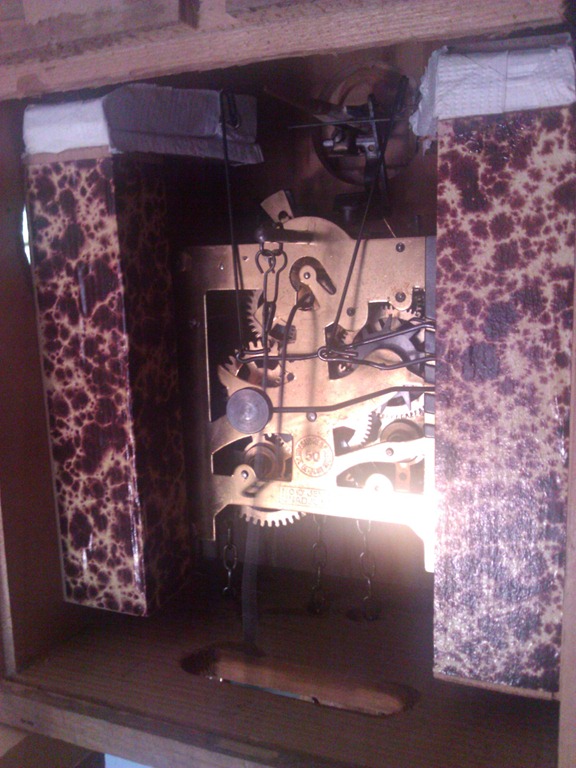
Of course, there’s no telling how long it had been in the attic before I found it, and, not having time or inclination to do anything with it, I stuck it on a high shelf in the garage and promptly forgot about it. You can see it in all it’s glory as I found it in that first picture.
Flash forward to a few weeks ago. I finished out a second contract with a law firm, doing MSSQL Server tuning and optimization, and had some time, so I decided to clear out the garage.
Lo and behold, that cuckoo was still up on that top shelf. Dusty, but otherwise just as I’d found it almost 7 years ago.
Obviously, it was missing some numerals. The hands were so brittle they snapped when I tried to adjust the time. One of the birds on the front piece was gone, no idea to where. The chains were utterly tarnished. The mechanism was completely dusty and grungy. And the bellows (the parts that actually make the cuckoo sounds) literally disintegrated when I took them out and tried to test them.
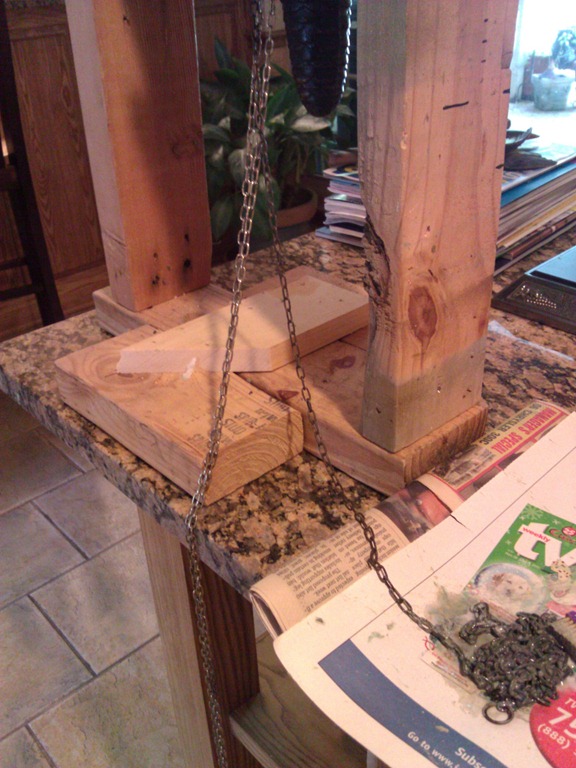
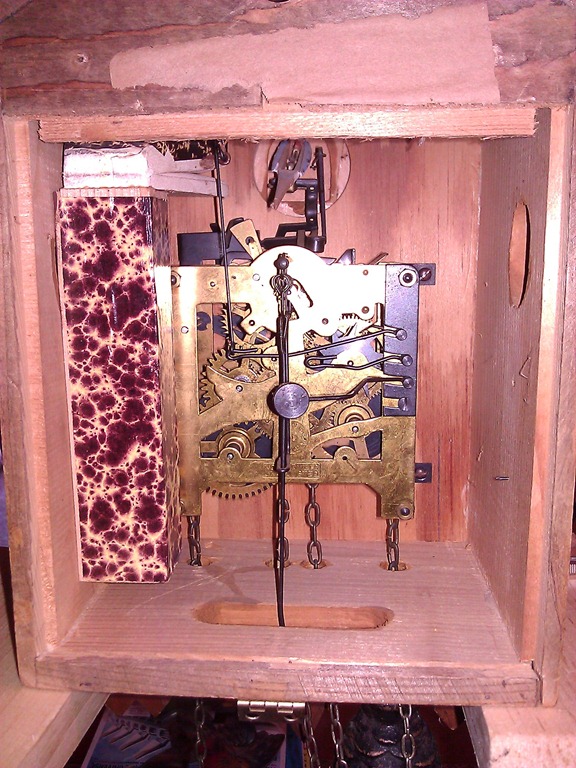
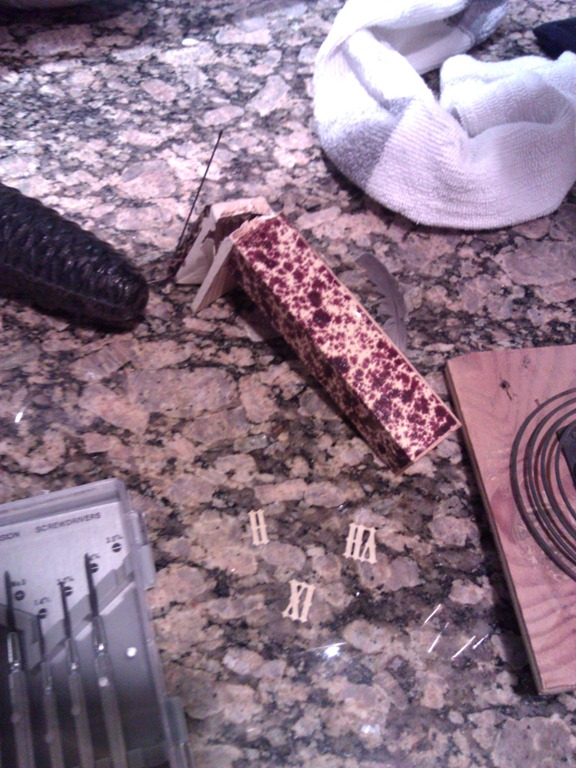
However, the mechanism appeared to be all there. Both bellows were there. Both weights were there. I still had the chains and the backplate with the chime, so there were lots of positives.
The first step was getting the mechanism out. Pretty simple, really. The bellows needed to be removed, but they were held in with a single screw and a set nail. The mechanism itself was held in with 4 small screws.
I blew it out with an airgun, but it became clear it needed a full on cleaning. After a little internet research, I found that clock cleaning solution is essentially water, ammonia, and Murphy’s Oil Soap, of which I had all three. Mix it up, soak the mech for a few minutes, wash it out thoroughly and the mech was looking almost new.
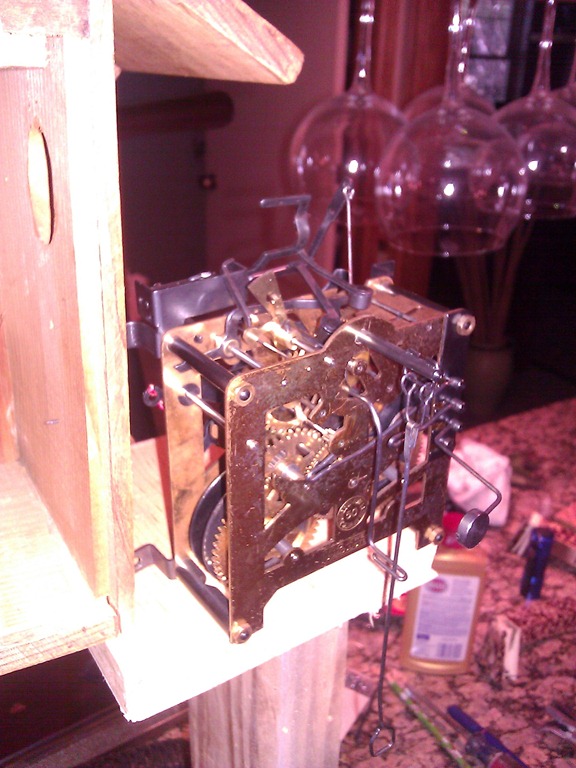
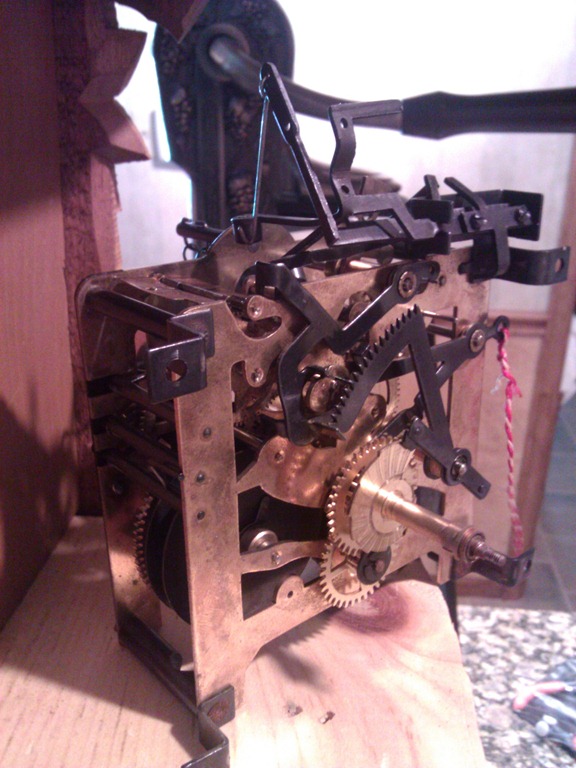
Next, I got online and found a clock store that sold virtually identical parts. 10$ later and I had on order paper for bellows, replacement numerals and a new pair of hands.
Repapering the bellows looks hard, but was quite straightforward. You just have get the folds in the right places. And some glue and clamps later, the numerals and hands were back on and looking MY-T-FINE…
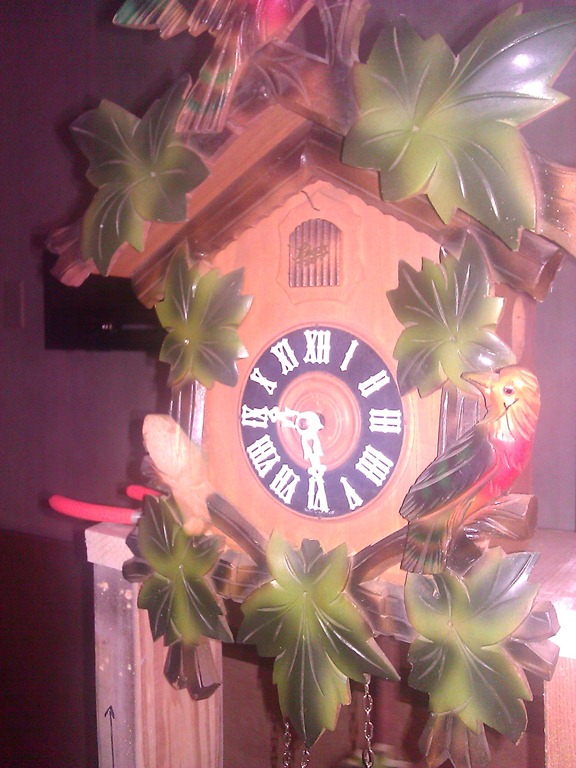
At this point, the only thing left was that bird (or lack thereof). I found an auction on eBay selling a virtually identical bird, but at the last minute, I got caught up in, well, life, and completely missed the auction completion. Doh!
Tons of searches and even emails to clock shops turned up nothing. It was becoming clear that this particular decision was being made for me.
Proper Object Inheritance
Obviously, I needed a new bird almost exactly like the original, but in reverse. So, trace and reverse to get this.


I didn’t have any linden wood (the typical Cuckoo clock wood), so some clear pine would have to do. And my carving toolchest is a tad limited.
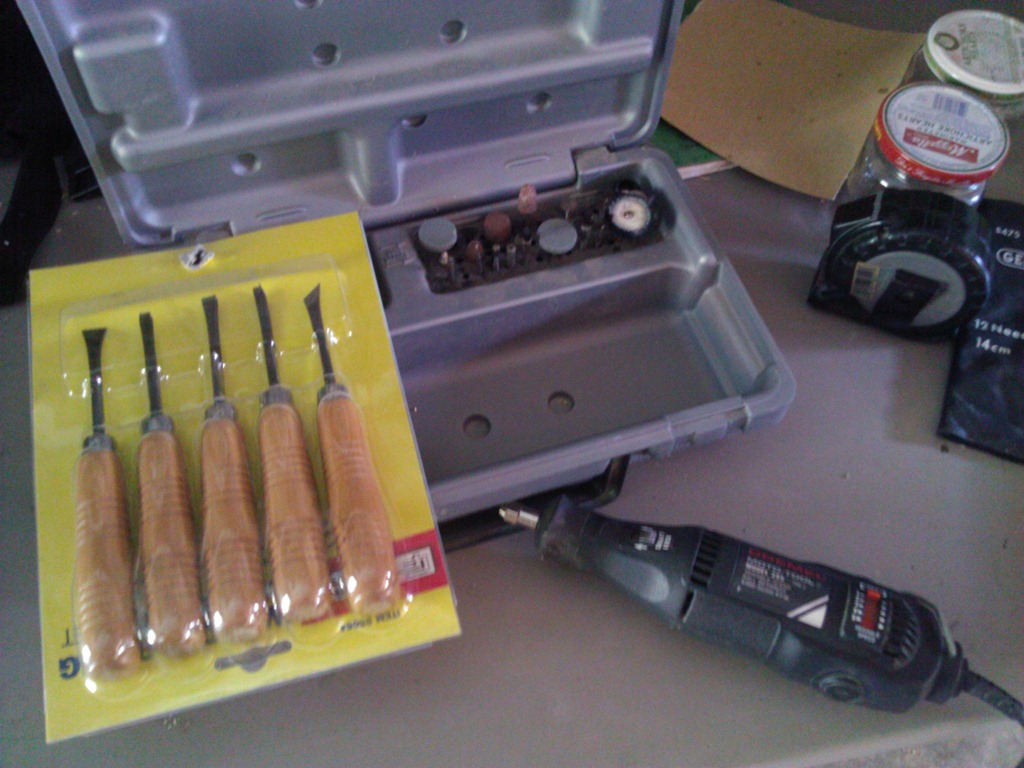
After a few hours of grinding, whittling and chiseling, I ended up with this.


This was a good enough result that I decided to continue on with the project and finish it out. I had to pick up some modeler’s paints, but I had an airbrush, so I was good on that front.
The final result came out pretty reasonable. Not a perfect match, but close enough.



So, what does rebuilding a cuckoo clock have to do with developing commercial software?
More than you might think. When you look at cuckoo clocks, or really, mechanical clocks in general, you really come away with the strong conclusion that clockmakers back when were the engineers and programmers of their day. Looking at the complex system of gears, the escapement, and the cams that drive the bellow lifts and gong ringer, it’s not too hard to see a system of subsystems, inputs, outputs, and programmed behaviors.
As programmers, we spend a lot of time staring and computers and wrestling with the bleeding edge of technology.
Sometimes, it can help put things into perspective by wrestling with a bit of 1700’s bleed edge technology.
 Just discovered something incredibly nifty about GoogleMail (GMail).
I’d written a message, and had included the sentence “I’ve attached this document in Word format for your review”.
Unfortunately, I forgot to attach the document.
When I clicked Send, Gmail popped up a messagebox asking me if I’d intended to include an attachment, because I’d written in the email “I’ve attached….”.
Clever stuff. Simple, but clever.
I can’t count how many times having that little feature in Outlook would have saved me from having to respond later with the attachment I meant to send.
It’s little things like that that can make a big difference in app usability. Things like automatically formatting a phone number, or automatically picking a Zip code once the city and state have been entered, or entering the city and state from the Zip code. Or how about a calendar system where, for the date of the appointment, you could enter “2 weeks from monday” and have the system determine the correct date?


Content © darinhiggins.com and Darin Higgins. Proudly powered by WordPress. To bookmark this site, press Control+D.
"StarGate" theme by Darin Higgins based on "Black Hat" by Nicki Faulk. For best results, please view with Firefox. [ Log in ]
Comment antispam by 